CazConnect
What does it do?
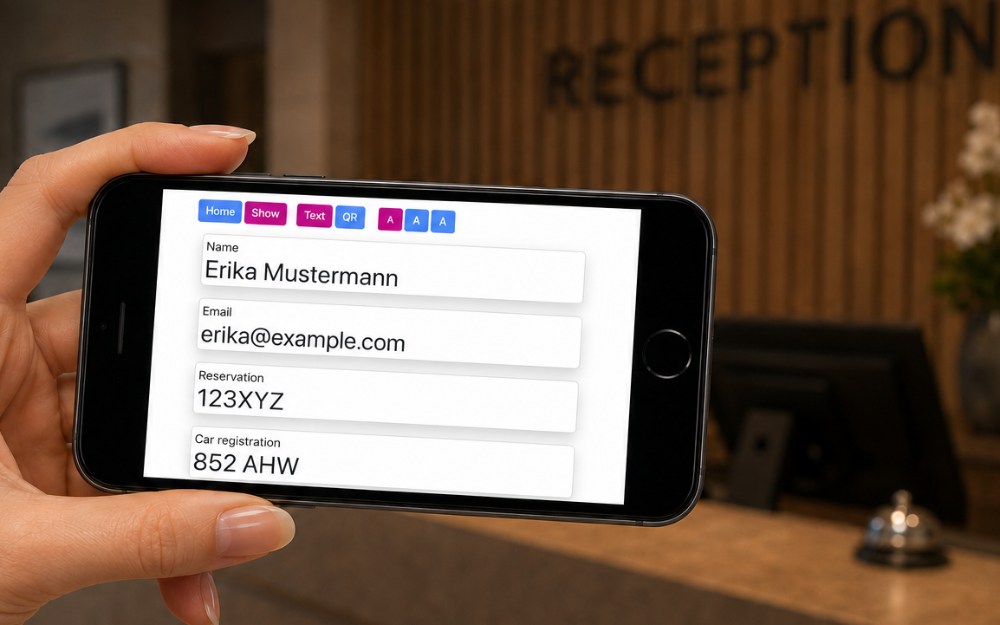
There are occasions when it's easier to show someone your details rather than saying them.
Think of accurately giving your email address at a store so you actually get a receipt, join the loyalty programme or sign up for their newsletter.
When you're abroad, your interlocutor might not get your pronunciation - this gets around that problem.
Some people have been using it as an aide mémoire - it has the advantage of not having to put glasses on.
What does it cost?
The free version of CazConnect works standalone and, if you install it, will work offline and all the data stays within your phone. No cloud malarkey.
We're not tracking you or selling your data as a matter of principle, so we're funding hosting and development with optional (future) pay-for features. This will require an annual subscription of around £12/pa including VAT.
We would encourage users who don't want to subscribe to donate a sum of their choice.
How does it work
First you add a record to the app (or modify the 'getting started' ones). Then it's case of 'select-and-show.'
There are three display sizes you can choose from or, where appropriate, show a QR code.
Tabs help you organise yourself - special ones for your car or holidays.
Offline use
It's best to prepare for this because it can't be done when you've lost your signal.
When you go to the CazConnect website, many devices will offer you an "Install app" pop-up. If you press this, it will be installed on your device (an icon will appear) and you can then use it offline as well as online.
For devices that don't offer you that:
- Navigate to the home page of CazConnect using your device's browser (Safari for Apple, Chrome for Android).
- Apple: Tap the 'Share' button and select 'Add to Home Screen'.
- Android: Tap the 'Menu' button and select 'Install and create shortcut'.